Thursday, November 23, 2006

Security Flaw in FireFox 2 allows Phishing Attacks.


There is a vulnerability in Firefox 2 that allows phishing attacks. The vulnerability is caused due to the Password Manager not properly checking the URL before automatically filling in saved user credentials into forms. This may be exploited to steal user credentials via malicious forms in the same domain. Secunia has reported this problem. Version 2.0 is affected and other versions might be affected too.

This problem seems to be the first major flaw reported in the version 2.o of firefox. There is a crash condition that was reported to exist in Firefox 2 recently but that was not a very common issue. But this is the first major flaw with the latest version. This problem has been dubbed as the reverse cross site request (RCSR) by the person who detected this flaw Mr. Robert Chapin.

Even though this problem is categorized as less critical by the Security firm Secunia the consequences of the flaw being exploited by the malicious people could be highly harmful to the users. Since a fake login page can be easily set up or a page that proxies traffic to a popular website like myspace can be set up and when the password is automatically filled in my the firefox password manager ( it does not verify the server to which te password is send ) it can be easily sniffed by the attacker. This can happen to users logging into blogs or other sites.

Surprisingly the same kind of problem exists with Internet Explorer 7 but since IE does a more thorough check before filling in forms it is vulnerable only if the reverse cross site request (RCSR) page (which is the attack page)appears on the same page as the login page.

Solution:
Disable the "Remember passwords for sites" option in the preferences.
Along with this disabling Password Manager is the other suggested solution.

This problem adds on to the recent multiple vulnerabilities spotted in older versions of FireFox and Sea monkey recently.
You can see that report here.

The other recent issues with Firefox has been reported here:-

Microsoft and Secunia at it again. And FireFox 2 too affected?
All IE 7 and Firefox 2 Vulnerabilities as of date.

Related Reading:-
Everything you wanna know about phishing attacks.

Wednesday, November 22, 2006

About Spywares and the best Anti-spywares.


As most of you might know spyware is a form of malware. Malwares are softwares that are used to intentionally collect information about a user or a machine or to damage a machine. The name malware was derived from combining the two words Malicious and Software. Virus, trojans, worms, spywares, adwares, rootkits are all malwares since they are all malicious sofwares. But spywares and adwares are written with the intention of making money where as viruses are mostly made with only a bad intention like destroying or damaging a computer.

Spywares are basically intended to track the user's browsing habits and report it to the source so that they can make targeted advertising campaigns. But it is highly harmful too. There are variations of spywares that can can even log what you type (key logging) and thus lead to all sorts of privacy problems and Identity thefts.


Spywares normally attach themselves to the browser and your browsing habits are send to the source so that they can collect information and using it for spamming and unhealthy marketing practices. The antiVirus tools do not detect spywares because they are not well defined as viruses , Trojans and worms. So that is why you need a tool that is specifically made to detect spywares.

Even though spywares are not destructive like a virus, trojans and worms it can slow down the pc and is harmful as it can contribute to identity theft. And these are send to the source over the net. So again that means it can also slow down the Internet connection as it uses the bandwidth. It can hijack a browser and stuff. More malicious variants attempt to intercept passwords or credit card numbers as a user enters them into a web form or other application.

Ways of getting a spyware, adware or both.

The main thing to be noticed is that most spywares collects information about a user or a machine with the "informed consent" of the user. This is done by writing those legal things on the software that you install it without being suspicious about it.

How many of you read the terms and conditions before clicking on the "I accept" button? This is why it is said that whenever you use a software that is not made by a reputable firm or well know firm you should read the terms and conditions before accepting it. The defense the spyware installing software manufacturers give is it was installed with the user consent and hence they escape any kind of legal pursuits against them.

But along with these kind of people who install spywares into your PC with your "informed consent" there are others who don't even mention that personal information will be collected.

So one of the most common way of getting a spyware is by using sharewares or bundled applications by companies whose reputation you don't even know about or companies that are well known (like Kazaa), who believes that collecting information about the user is alright. If you are installing those read the terms and conditions before doing it. But mind you, every person does not put it in the terms and conditions.

Programs like Kazaa, Download Accelarator etc:- are examples of softwares that combines spyware with adware.

Another way of getting a spyware is when you install programmes that gives you free cursors, free smileys, free screen savers etc:- Any free programs or internet speeding softwares (remember download accelarator?) etc:- which are not reputed should be dealt with caution. There are many good and highly reputed free programs out there but along with that you will also find these kind of malicious softwares trying to entice people into downloading with the main intention of collecting information rather than providing better service.

Going to sites that are unfamiliar with javascript and Active X turned on is another way of getting infected.

Using unfamiliar and unknown tools that autofills and using anonymous email sites that are non popular but looks enticing are all ways with which you can get these stuffs into your pc.

Now a days on every nook and corner of the net you would see ads saying "your computer is infected with spywares. Click here to remove it now" or "Download this program to remove it now". Well clicking on those kind of things can only lead to more spywares being installed on your pc.

Spywares are different from adwares. Adwares are softwares that automatically plays, displays or downloads advertisements to the machine with or without the user consent. There are spywares clubbed with adwares which is even more irritating.

While viruses are illegal without a doubt spywares are yet to be clubbed into that category with certainity. But whether all spywares fall into the illegal category or not, there is no doubt that they are harmful not only to the PC but to the privacy of the user too.

Spywares are everywhere now a days it is said that almost 90% of the computers in the world is infected by some sort of spyware.

Ok, now you have a fair idea as to how you can get a spyware or adware into your pc. Some of these same things are the means through which you can get other sorts of malwares (virus, trojans etc.) into your pc. But viruses and trojans are a different class and to prevent getting them you have to take steps far more than dealing with spywares or adwares. And since there codings are different an Antivirus cannot detect most of the spywares. Viruses are more well defined. But spywares are not. And that is why it is advised that it is always good to have more than two Anti spyware tools in your PC. Update your Anti spyware regularly and scan your PC atleast once a week.

Let us have a look at the well known Anti-spywares. These are free but they are highly efficient if not more
efficient than some of the paid Anti-Spyware tools out there.

Windows Defender 1.1.1


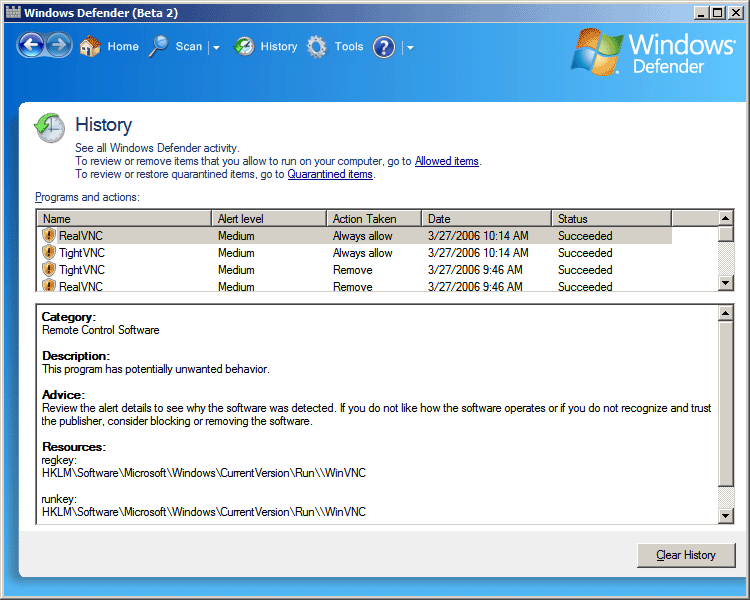
This is the free Anti-spyware tool from Microsoft. So no wonder this requires Windows validation. This product was in the beta stage for a long time and now with this full version you get a great spyware detector that scans fast. It offers real-time protection. Whatever spywares the worldwide Spynet Community detects are constantly kept track of and the solutions are automatically downloaded to your PC through this program. It has advance protection and is a highly rated anti Spyware tool. Does not use much system resources.

Get it from CNET Download.com!


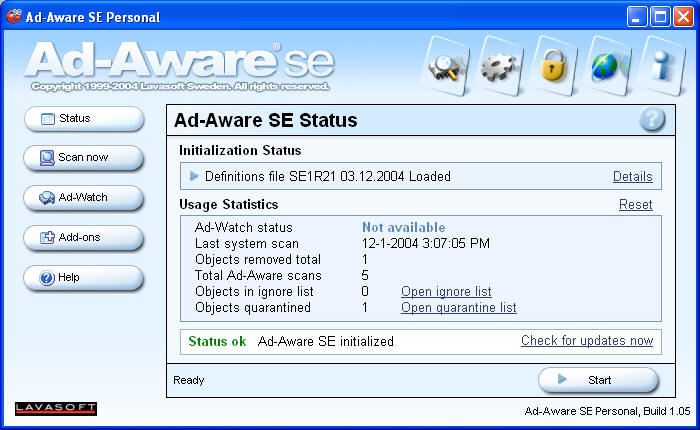
Ad-Aware


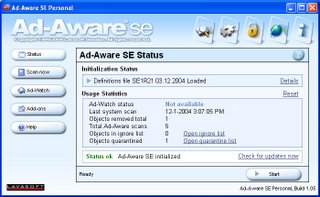
I remember using this prog a long time back since it was one of the first applications built to find and remove adware and spyware and it has come a long way since then. This was the prog. on which I saw the first spyware. It has a high number of definitions available and without doubt this is one of the best if not the best Anti spyware tool out there. No surprise that this got a 5/5 rating from the Cnet editors. It scans all modules loaded by processes, does the registry scan of multiple user accounts and the best part is that it uses less CPU and memory. It has a cool interface now and the scanning is fast. This guys have been in the business since a long time and hence they know how to bring out the best.

Get it from CNET Download.com!

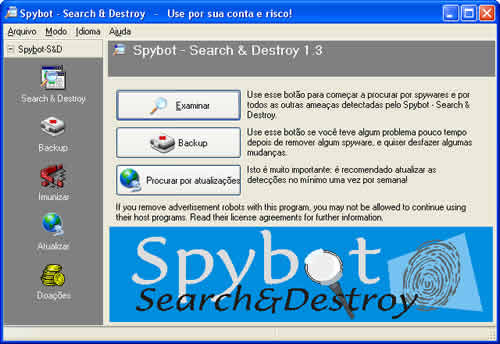
spybot search and destroy 1.4


One of the best free Anti spyware tools developed by Patrick Kolla. It has been highly rated by PC magazine and Cnet and was even metioned in BBC's fav tech related prog Click Online. Since this prog. came out a few years back I have started using this along with ad-aware. The scanning however is not as fast as windows defender and Ad Aware. To read more and download this great free tool go here.

AVG Anti-spyware (Formerly Ewido)

Ewido is already known around the world as a nice anti-malware (they always focus on not just spywares but on some trojans too, even though not as well covered as an ANtivirus would)tool. But they had some limitations. But after the merger with AVG it has got better. There is a paid version and free version available for this software. The free version does NOT allow automatic online-update, real-time monitoring of the entire system, self-protection at kernel layer guaranteeing gapless monitoring and does not allow you to use for commercial purposes. But neverthless with protection against 350,000 threats the free version without the mentioned feature is still a good utility to have. It does not take much system resources.

But AVG- Anti-spyware unlike the other three products listed here still has to earn a high reputation in the field of Anti-Spyware softwares.

Download the free version here.


All the above mentioned tools are great free Anti spyware tools but like I mentioned earlier when it comes to spyware it is always good to use more than one because spywares are not well defined.So a spyware that one prog might detect the other one might not. So use two Anti-Spywares in combination and chuck those fleas out of your PC. And remember that ideally one must have an Anti-virus, Anti-Trojan, Anti-spyware (Ideally two), Anti-rootkit and a firewall.

Special Mention: HijackThis


(Download HijackThis at the developer's website.)

This is a fantastic Anti-spyware/malware tool but it should be used only by advanced users. It the computer is still having problems after using Anti-spyware programs this tool can be used. This tool should be used only by someone who is experienced at reading the log outputs because fixing the wrong items can making your machine unbootable. What this tool basically does is to give you a list of what is found in registry or system files. It lets you review the logs and identify the problem. That way an experienced user can determine what is infecting the machine. More than a removal tool this serves as a tool that helps you diagonise the issue. It will remove the entries if you want to. But that won't cure the underlying problem.

Sometimes just removing the entries can solve some issues. But if you don't know what you are doing stay away from it. But still you can just run this program and look for any suspicious entries or if you really know what you are doing then you can use this to clean up the entries left behind after you have properly removed the hijacker or the malicious software using the right tool.

If you are not an expert One of the best thing to do is to run Hijack This on your machine and then post the log on one of the Hijack This forums available on the net where experienced people will give you advice. You can post your logs at Hijack This forums like the one you find here at this link.

Here is an excellent tutorial for using Hijack This.


Related reading:-
27 steps to prevent virus.
Rootkits and Anti Rootkits.
Best Free Antivirus programs.
Everything you wanna know about phishing attacks.(Identity theft)
keeping your password secure and Related softwares.

Monday, November 20, 2006

keeping your password secure and Related softwares.


Well there are many different things an Internet user has to follow when it comes to keeping their identity on the net safe from the identity theives etc:- There are some tips I had mentioned earlier in my article about how to protect yourself against phishing attacks. If you feel like reading that go here and look at the part where it says "Tips to protect yourself from phishing attacks". It covers almost every aspect about protecting yourself on the net from Identity thieves. However in this article I am going to focus only on the password aspect. Here are some tips that almost everyone knows (if not, everyone should know it) that are only related to getting a secure password and keeping it safe at your end. And also below you will see a list of related softwares.

1.Passwords should be atleast six character long.

2.Use a mix of alpabets, numbers and symbols (Aplhanumeric).

3.Don't use words that are contained in the dictionary. (since it will be easy for people to get it through a
dictionary attack)

4.Don't email or IM your password.

5.Don't store it on your computer.

6.Change it often. At least every 3 months.

7.Have different passwords for each site or mail address.

Ok, now almost everyone of you might know these things. But the problem is how would one ensure that these steps are adhered to. I mean like having different passwords for each site and that too complex passwords and yet not to store it somewhere? I mean that is quite challenging right? But here are some tools that will help you on that part. Not only will these tools help you generate complex passwords but it even fills out forms on the net for you in a secure way and you can store the passwords on your PC. Interested? Then read on.


PASSWORD GENERATORS.

1. Quicky Password Generator 1.2 (Free)

This one has got a 4.5 out of 5 from the users at download.com. Now when the users speak you know that it is not a gimmick. This prog can generate up to 5000 passwords of 4 to 20 characters in length at a time. There are options for alphanumeric, uppercase only, variable length, and special characters. It generates all unique passwords and will warn you if the character length is not long enough to give you unique passwords. It is very small in size (338.08K) too.

Get it from CNET Download.com!


2.Infinite Password Generator 2.2 (Free)

The download.com(Cnet) editors have given this a 4 out of 5 rating. YOu can generate different passwords for each site and you can access this utility by keying in your master password. So that means only you or someone else who knows the master password can acess this prog. Using only a master password which you need to remember and a keyword of your choice, you can use different passwords for every Web sites without remembering them all.

Get it from CNET Download.com!


UTILITIES THAT LETS YOU STORE PASSWORDS ON YOUR PC AND ALSO TO FILL IN FORMS.

1.RoboForm 6.7.9 ( Free to try)

This earned the coveted 5 out of 5 rating from the Cnet Editors. And also the users have given this a 4.5 rating out of 5. RoboForm memorizes each user name and password the first time you log into a site, then automatically supplies them when you return. This excellent prog. comes with a military level encryption. And all have to remember is your master password. All other passwords you generated using a password generator can be stored in this. It also fills out online forms.This prog. is a free to try software. Hence after 30 days some of the features will be disabled. If you have to buy it this costs $29.95

Get it from CNET Download.com!


2. Free Password Manager Plus 1.6.3(Free)

This is a very handy tool. Among the well rated free versions in the password storer category this is the one that stores passwords and also fills out forms. Roboform which I mentioned earlier is the other utility that offers this combination but it is just a free to try software..not free. So if you would like to have a free software that offers that sort of a combo then go for this one. The users have given this a 3.5/5 rating. This software protects your data by using 128-bit AES encryption and storing it on your own PC.

Get it from CNET Download.com!

Between Roboform and Free password manager it is better to go for Roboform even if it is free to try because you can still use Roboform after 30 days but with limited features. Like you can store a list of only 30 passwords. But for an average home user that would be more than necessary and enjoy the military level encryption it offers. Well, on the other hand you can try both and keep both if you like to.

Related reading:-
Everything you wanna know about phishing attacks(Identity theft).

Saturday, November 18, 2006

27 steps to prevent computer virus/Trojans.


picture courtesy-- London Times.
Read on to be aware of the 27 steps that will help you prevent your PC from getting infected with those deadly viruses. Some of these steps are common but many of them are not so common. So read carefully and stay protected.

1.Always be careful when it comes to e-mails that have attachments. If files contain EXE, COM or VBS as extensions then they are most likely able to cause harm to computers. Do not open it.

2.Do not open attachments when they are from people you do know, if the mail does not clearly refer to them. If they have a virus, then it can send mails to you. Therefore, only open attachments of which it makes sense to refer to.

3.Do not open video files from sources you are not sure. The new way of sending viruses is by using video files. It has already started so watch out for it. It was only recently that Anti-virus firm McAfee warned Windows users that the company had discovered a worm, dubbed W32/Realor, actively infecting Real Media files. The infected video files do not contain an exploit for the RealOne or Real players, but a hyperlink that points to a malicious website. It could be just the beginning to a new way of virus distribution.

4.While talking over the messenger use the file transfer option only if it is necessary and if you know the person at the other end well enough. Even if the person is known to you his computer might be infected with a virus. So make sure he too has an update anti-virus on his PC.

5.If a friend sends a file over the messenger do not open it unless it is the file you and your friend is sure is not infected.

6.Never dowload files send by unknown people.

7.Always have an up to date version of your messenger.

8.Be careful when trading any kind of files through your messenger or by any other means.

9.Always scan files on floppy disk or zip disk before using it. As you know an infected file from a disk that you have borrowed or which have been used on some another computer which has been infected can infect a clean PC.

10.Often attachments sent from a Mac will have not have any extensions. So in that case it is not possible to tell the type of the file. So as a precaution do not open attachments that has no extensions at all.

11.Always check the file extensions of any file arriving from a source.To see the file extensions Open Windows Explorer or My Computer. On the menu, choose View > Options to open the Options dialog box. If there is a View tab, click it. If there is not View tab, click the File Types tab. Then uncheck (by clicking its checkbox) "Hide file extensions for known file types." Click OK to close the dialog box. Usually by default windows does not show extensions. But once you checked the file extensions go back and hide the file extensions.

12.Even a picture file can be infected with a virus or Trojan. In 2004 a picture posted on the Usenet was infected with a trojan. It exploited the Internet Explorer. All the Antivirus programmes are capable of dealing with it now. But you never know what is in the making. Since it has been proved that it is possible it is good to be on the safer side. Any picture that floats in email or any unfamiliar sites which entices you to view it should be dealt with caution. Even though now a days a picture spreading a virus is only a remote possibility, the very reason that it is possible is a scary thing.

13.Word documents (.doc), Excel documents, and other files can contain macros that functions as viruses. But now a days all AntiVirus checks for these. But still excercise caution when it comes to unkown sources. A well known macro virus was the melissa virus and the cybernet virus.

14.Sometimes the virus warnings themselves are a farce. So think again before you start spreading the word or press the panic button at your end. Many reports of viruses are hoaxes. Many of these arrive through emails and instant messages. So if you have a doubt and before dealing with those kind of viruses double check it. The sites listed below are the ones you can use to verify a hoax message before you make sure they are for real. If you don't find them there google it.

F-secure's virus hoax related page.
Symantec's related page.
Mcafee's related page.

15.If you download a file from popular sites like Rapidshare before downloading look at the link and if you see the extensions like .exe, .scr, .bat etc:- be warned. SOmeone might load a file at Rapidshare or similar popular sites and spread the word luring you to download it. Or even after you download the zip or rar files look for the extension of the file it contains and scan it. If the extension sound fishy never touch it. For example a movie file with a .exe extension.

16.The file types that are the most dangerous are the files with the .exe, .com, .scr, .vbs, .cmd, .bat and .reg extensions because they contain programs and not documents. Take note of that and keep it in the back of your mind before opening it.

17.Do not visit websites that are unfamiliar. If you want to visit them turn off all your javascript options and Active X and cookies too. Many of the malicious websites asks the user to turn on the Java script or Active X. If a site is not a familiar one and has enticing words to invite you to the site and needs you to turn on the Java script and/or Active X then be careful. Some malicious sites can even infect you with a virus even if your java script and Active x is turned off. That is why you always need to have a up to date Anti-virus.

18.Don't visit warez sites especially key generators. A very small KB file that comes as a key generator once clicked can easily open up a can of worms or viruses.

19.There is always a danger of freely sharing computer programs and system disks, or downloading files and software through file-sharing applications such as BitTorrent, KaZaA etc:-

20.Excercise proper caution when using your personal disk space (e.g., floppy disks) on public computers or other computers that are used by more than one person.

21.Always running your Windows computer as an administrator or power user is not advised. A programme downloaded and executed when you have the administrator priveleges can even go to the root.

22.One of the ways to ensure that you don't get a rootkit virus is by accepting only digitally signed drivers.

23.Even AntiVirus softwares can have vulnerabilities. So always check for the latest news about the Antivirus software you are using. Very recently (nov.16 06) one of the top Antivirus progs, Panda, was found to be having highly critical vulnerabilities by the security firm Secunia. See the report here.

24.Remember Trojan.Bakloma.A. virus that came out in August 2006? If not let me refresh your memory. A link in the email claiming to be from Norton(Symantec) asked the users to download a removal tool for a new virus by following the link. Immediately as the user went to the site that was linked the virus Trojan.Bakloma.A. was automatically downloaded. So watch out for emails or suspicious links anywhere that asks you to update your Antivirus by following the link. All good Antivirus progs allows you to update through the software installed on your pc.

25.Use a firewall,Anti Spyware, Anti-Trojan, Anti-Virus and Anti Rootkits and update it everyday if possible.

26.Regulary update security patches from your browser and Operating system vendor.

27.Check for the latest virus threats by visiting the top ranked AntiVirus providers and security firms. Some of the sites you can visit are:-

Secunia the security firm.
Mcafee's threat center.
Bitdefender's info center.


Related Reading:-
What are Rootkit viruses and free RootKit detecting softwares.
Best Free Antivirus Softwares

Wednesday, November 15, 2006

What are Rootkits and free RootKit detecting softwares.

RootKits
For anyone who is familiar with computer terminologies knows what it means to have the priveleges of the user at the root level. It simply means that that user has the administrative powers. So if a programme has the same priveleges it means that it can bury itself into the operating system's Application Program Interface (API). It will this have the power to be the middle man between the operating system and the programs that rely on it, deciding what those programs can see and do. Sitting in that position it can mask itself from any normal anti-virus programmes. If an application tries to get the contents of a directory which holds one of the rootkit's files it has the ability to censor the file name from the list. It even has the power to hide anything the person that has put the root kit in the PC wants hidden like password lists, mp3 files etc:-

All sorts of other tools useful for abuse can be hidden using rootkits. This includes tools for further attacks against computer systems the compromised system communicates with such as sniffers and keyloggers.

Usually after putting the root kit on the PC the attacker has to connect to the system through an open port on the PC just like using any other back door programmes. But the difference here is that like I mentioned earlier root kits are not easily detected by normal AntiVirus tools.

Rootkits are typically not malicious by themselves but are used for malicious purposes by viruses, worms, backdoors and spyware. A virus combined with a rootkit produces what was known as full stealth viruses in the MS-DOS environment.

One of the scariest thing is that once your computer is compromised by the hacker (a computer attached to the Internet that has been compromised by a security cracker, a computer virus, or a trojan horse is called a Zombie computer)it can be used for further attack by the hacker and it will appear that it orginated from the compromised computer instead of the hacker's machine.

One of the ways to make sure you don't contribute to the installing of a root kit in your PC is by accepting only digitally-signed device drivers.

F-Secure's Blacklight.
F-secure the Finland based Internet security services firm offers a free and very effective tool which can even be used by beginners to eliminate the Rootkits. It comes in a very small size (808 kb) and is called Blacklight. It has two versions.

One is the GUI(graphical user interface) version and the other one is the command line version. The GUI version is very easy to use even for beginners. The scan takes around 5 minutes. The software is a beta version and is free to use till Jan 2007.

Currently it is the only Rootkit detector with a combination of GUI and expert detection which makes it easy to use for beginners. All other Rootkit detectors like Rootkit Revealer and Gmer are for advanced users.

If the Rootkit detector detects the hidden rootkit files or the files that have been hidden by rootkit then the scan will show the list. To remove the files first you need to rename the malware files by hitting the "rename" button. You can untag the non malware files by using the "untag" button before hitting the "clean" button.

It is important to note that rootkits can hide legitimate processes and files. So when selecting the files you would like to rename one should make sure you are only renaming the spyware/malware files. If you rename the wrong files it will cause problems to the state of your machine.

Once you hit the "clean" button the files that you renamed will be made inactive by the scanner and will appear with a .ren extension after re-starting the PC. And you will get a notepad that shows the list. Look at the list and delete the .ren files from your PC.

You can download both the Blacklight(F-secure) GUI version and command line version here.

The command line version can be used by people who are comfortable with command lines and it also has an expert mode. The default mode is the normal mode. For the command line version help you can visit the F-secure related page.

Two other tools.
If you want to use more than one Rootkit detector and is an advanced user you can try Rootkit Revealer and Gmer. Both are free softwares.

Related reading:-
Best Free AntiVirus softwares.
27 steps to prevent Virus/Trojans.
Anti-Rootkit for Windows Vista.

Tuesday, November 14, 2006

Best Free Antivirus Softwares

Ok there are a lot of anti-virus progs out there. But as always with whatever we do when we set out to buy something or in this case to give them the freedom to sit on our PC and place our faith in them, let us filter the bad out there and narrow down on the best choices among the free Antivirus softwares.


AVG ver 7.5.4
This latest version of AVG is a great free AntiVirus tool. Rapid virus database updates are available for the lifetime of the product. Version 7.5.4 includes improved virus detection based on better heuristics and NTFS data streams scanning; a smaller installation and update files; and an improved user interface. The newest version is also compatible with Windows Vista.

It is easy to install and use and has real-time antivirus protection of files and e-mails, maximum security - recent certifications include VB100%, ICSA, and WestCoast Labs Checkmark. And as usual it offers regular and automatic database and program updates
It supports both Windows and Linux.
Get it from CNET Download.com!

Avira AntiVir PersonalEdition Classic 7 6.36.01.01

This latest version features enhanced protection against unknown boot-sector viruses, issuing alerts for boot sectors suspicious formats. Through the permanent update of the detection engine, the protection is ensured constantly: the user can set the product to download any updates when available, thus keeping you clean and safe.

Avira PersonalEdition Classic constantly and rapidly scans your computer for malicious programs (such as viruses, Trojans, backdoor programs, hoaxes, worms, dialers etc.), monitoring every action executed by the user or by the operating system and being able to react promptly when a malicious program is detected.


Avast! Home Edition 4.7.892

This latest version is a free complete ICSA certified antivirus software for home noncommercial use. Avast includes the following components: On Demand Scanner--with skinnable simple interface--just select what do you want to scan in which way and press the Play button; On Access Scanner--special providers to protect the most of available e-mail clients; Instant Messaging--ICQ, Miranda; Network traffic--intrusion detection--lightweight firewall; P2P protection for Kazaa, BitTorrent; Web shield--monitors and filter all HTTP traffic; NNTP Scanner--scans all Usenet Newsgroup traffic and all operations with files on PC.


Get it from CNET Download.com!

  • Free online scanning by all the top ranked AntiVirus software makers:-
One thing everyone should keep in their mind is that all t he free softwares are good but not as good as the paid softwares. And the good thing is that all the paid softwares offer free online scanning and one would want to take advantage of that.

BitDefender--Free online scanning ..go here.
Mcafee--Free online scanning..go here.
Kaspersky--Free online scanning..go here.
F-secure--Free online scanning..go here.
Symantec(Norton)--Free online scanning go here.

Keep in mind that all these online scanners use Java script and Active X and hence you need to have Internet Explorer ver.5.0 (ver 4.0 in the case of BitDefender) or higher to take advantage of these free online scanners.

Like any other security software whether it is an AntiVirus or Anti-Spyware it is always good to use a combination of at least two. But using two Anti-virus software at the same time or two firewalls at the same time can lead to a clash and sometimes even a PC crash. So when it comes to Anti-virus it is always good to have one good software installed on your PC and use the free online scanning offered by another.

Note:- It is very true that no free Anti-virus comes close to the top paid Anti-virus such as Bit defender, Mcafee and kaspersky when it comes to performance. If you want real protection you have shell out that 40 or 30 dollar. With an avg of more than 10 new virus breaking out each day it is always nice to be on the safer side. But it is better to have some protection rather than having no protection at all. A good Anti-virus, firewall, Anti-Trojan and Anti-spyware/malware are the four essential softwares everyone should have on their PC for protection. Constantly upgrade each of these and all the OS and browser patches supplied by the vendors.

Special Mention:- Among paid Anti-virus softwares that NOD 32 Anti-virus is making waves now a days with it's light weight features that goes very low on CPU usage. Available on many platforms, including DOS, Linux, and NetWare, NOD32 has great speed and very excellent virus protection.

The Control Center layout and modules are a little bit confusing. The terminology is very technical. It is best for experts who would love the customization abilities and scanning power. But not an ideal choice for beginners.

Among the many feature it has is one called Dmon which scans every document before you open it in the background to prevent from script attacks and you won't even realise it. That is just one of the features available. You can get a good review of the software at softpedia.com.

Or visit the Nod32 website.

Related reading:-
27 steps to prevent Virus/Trojans.

What are rootkit viruses and steps to prevent them.

Google